Logo

Event Ticket Booking and Purchase Service

Industry:
Culture / Events
Timeline:
4 months
Type:
B2C Service
Platform:
Web

A digital showcase of events and tickets. Simplifies event selection, purchase, and navigation.

[project idea]

/01

The platform was built as a modern alternative to local ticket sales websites, outdated in design and UX.

The goal was to unite events in a single interface, simplify selection and purchase, make the interface user-friendly, and navigation instant.

[about the product]

/02

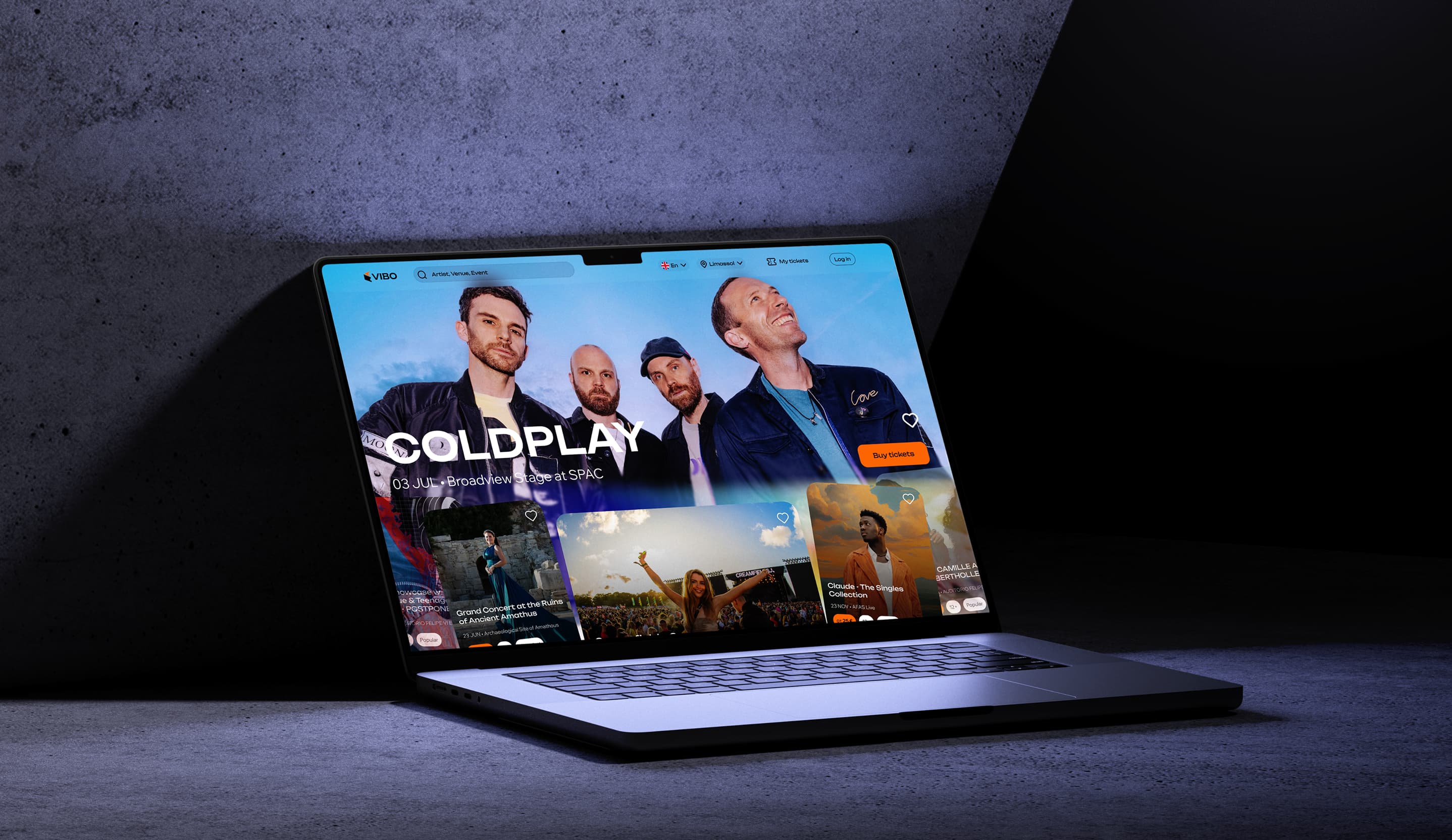
Centralized Event Listings and Ticket Sales

Users get convenient access to all current regional events: concerts, theater, shows, exhibitions. Each event includes a visual poster, description, age rating, and online ticket purchase option.

Flexible Filtering and Search System

Adaptive filter by event type, age, genre, date, and price. Search by artist, venue, or event name finds what you need in seconds.

Interactive Venue Map and Seat Selection

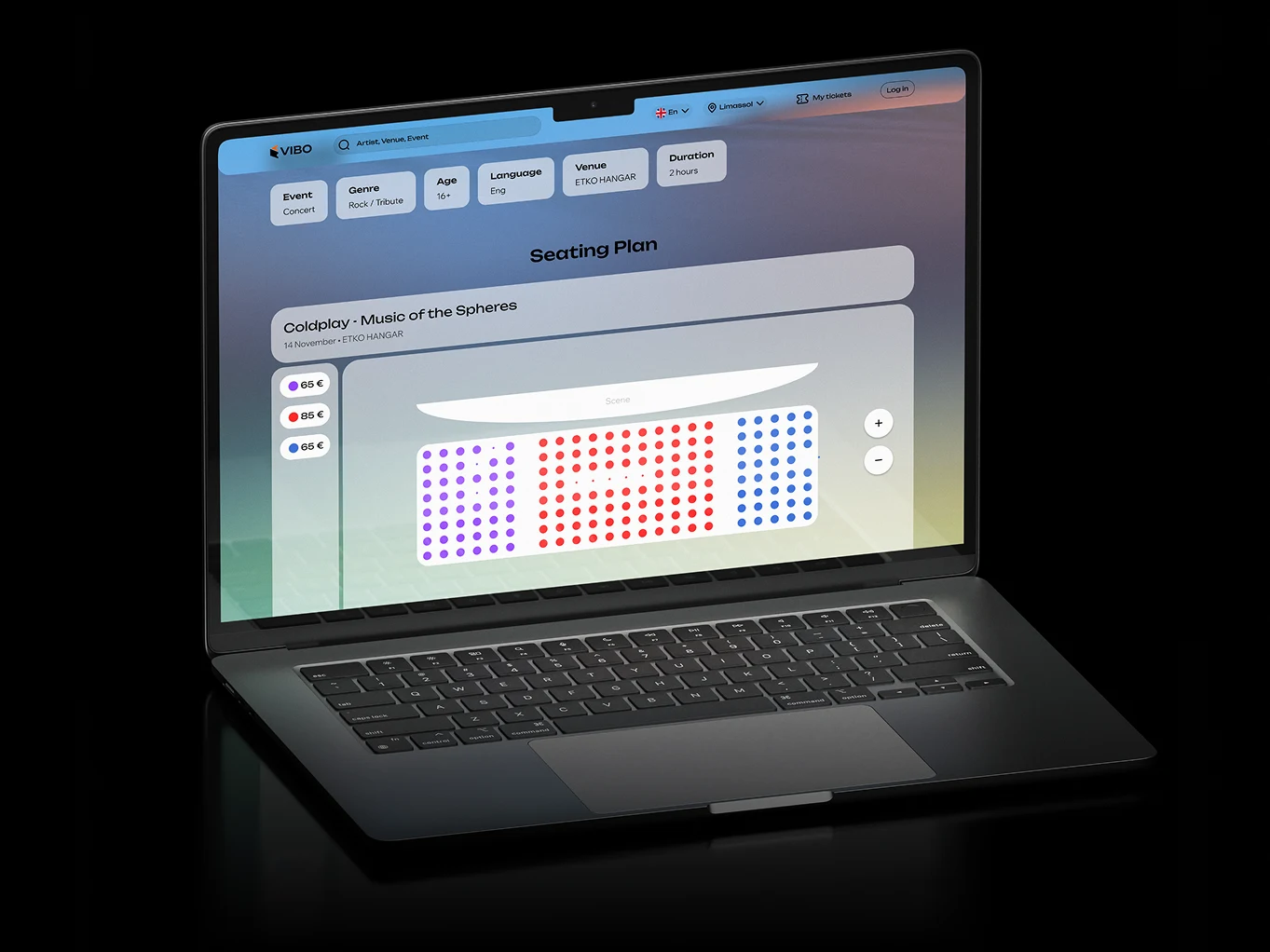
For seated events, a venue map with color-coded pricing is available. Users can select a specific seat, see its price, and proceed to payment immediately.

Personal Account and Ticket Management

Purchases, favorites, event history, and tickets are available in one click. Built-in support chat resolves user issues directly.

[our responsibility]

/03
User scenario development
UX/UI design
Design of all screens and states
Layout and frontend development
Integration with client backend API
Venue map visualization
Support chat development
Event booking platform

[the client had]

/04
API with events, venues, and tickets
Vision of event categories and filtering logic
General idea of the interface and structure

[team]

/05
1 Product Manager
2 UX/UI Designer
3 Backend Engineer
4 Frontend Engineer
5 AI Engineer
6 QA Specialist
[tech stack]
/06
Next.js
Next.js
React
React
TypeScript
TypeScript
GraphQL
GraphQL
YooKassa
YooKassa
Python
Python
FastAPI
FastAPI
PostgreSQL
PostgreSQL
Redis
Redis
Docker
Docker

[product features]

/07

Event Feed

Adaptive event card slider with sorting by date, popularity, and category.

Language and City Selection

The interface supports multilingual and city-based localization.

Venue Map

Color-coded pricing, available and occupied seat display, zoom, and interactive selection.

Event Calendar

Horizontal timeline with day selection and available event highlighting.

Support Chat

An in-app online chat allows quick resolution of purchase or event entry issues.

[development process]

/08
1 UX research: best practices in ticketing, user behavior
2 Interface and scenario prototyping
3 Adaptive states design (mobile / desktop)
4 Interface development, filtering and display logic
5 Integration with events, venues, and tickets API
6 UI testing, hall layouts, and purchase logic
7 Stabilization and launch

[technical challenges and solutions]

/09
01
Challenge

Implement permissions across three levels (role, department, entity type)

Solution

Custom ACL module with caching and flexible configuration

02
Challenge

Improve relevance of AI hints and reactions

Solution

Building an intermediate layer with enriched context — routes, roles, statuses, task parameters

03
Challenge

Prevent "stuck" tasks and implicit blockers

Solution

AI generates text comments explaining reasons, suggests actions (e.g., "To proceed, you need to...")

[results]

/10
  • Time from opening the site to purchase
    < 90 seconds
  • make repeat purchases through personal account
    > 70 %
  • High usability rating from first users

    Confirmed by post-implementation research

  • Full-fledged web service with up-to-date UX

    Confirmed by post-implementation research